To connect your domain name registered on Namecheap.com, follow these steps:
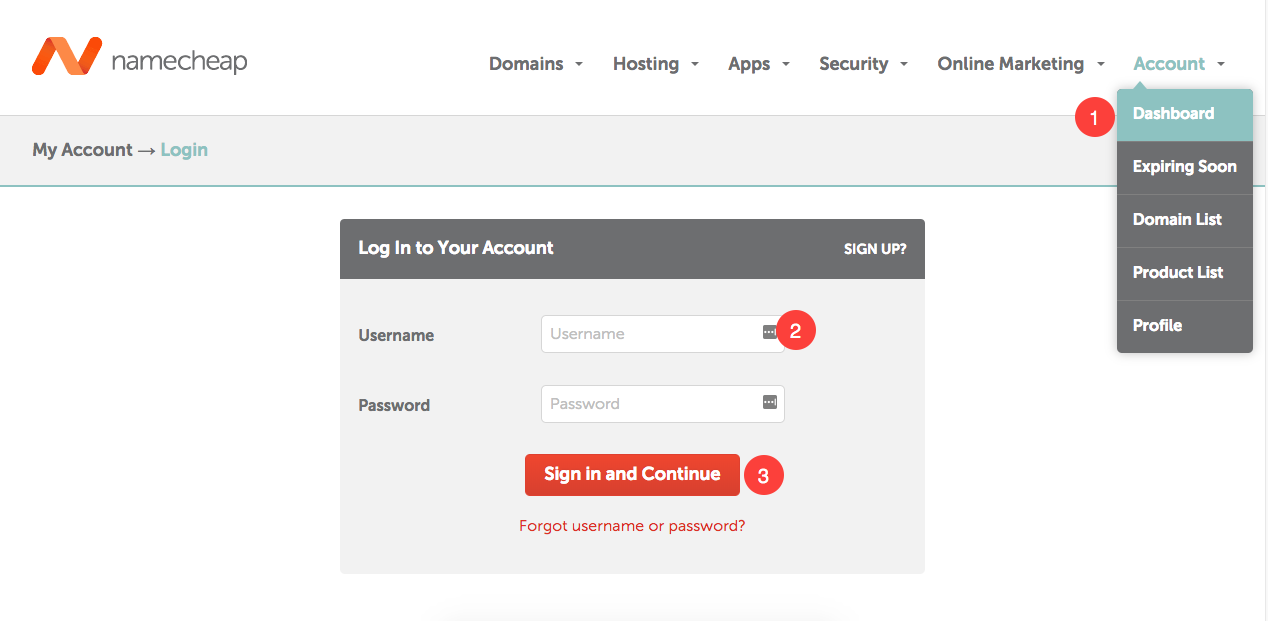
1. Go to Namecheap website and click on Dashboard button on right top. Enter your username and password to signin in your account.
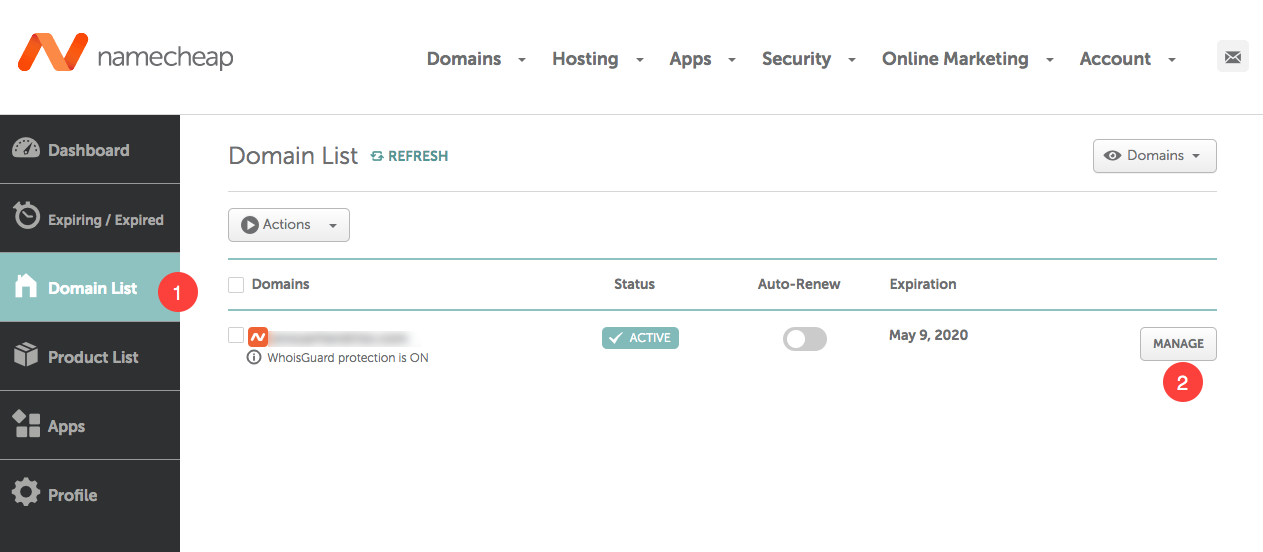
2. Go to Domain list now. You would see all your purchased domains here. Now find your domain that you want to connect Zop website and click on Manage button next to it.
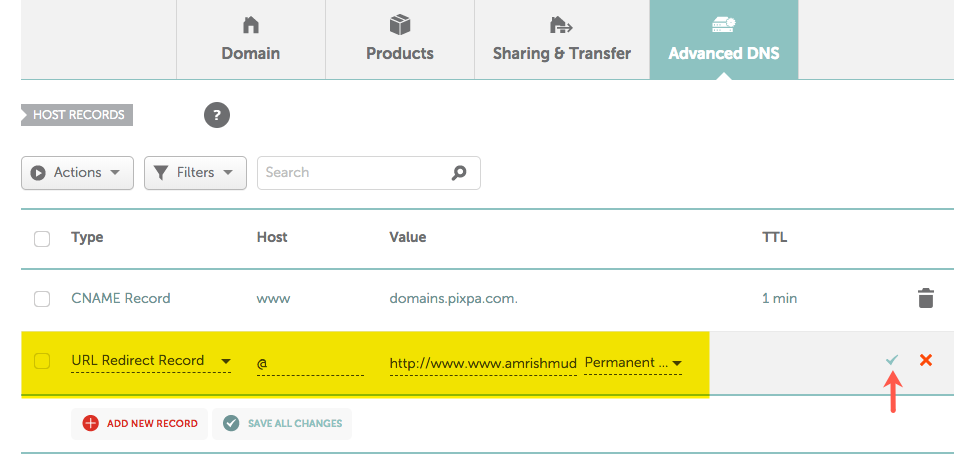
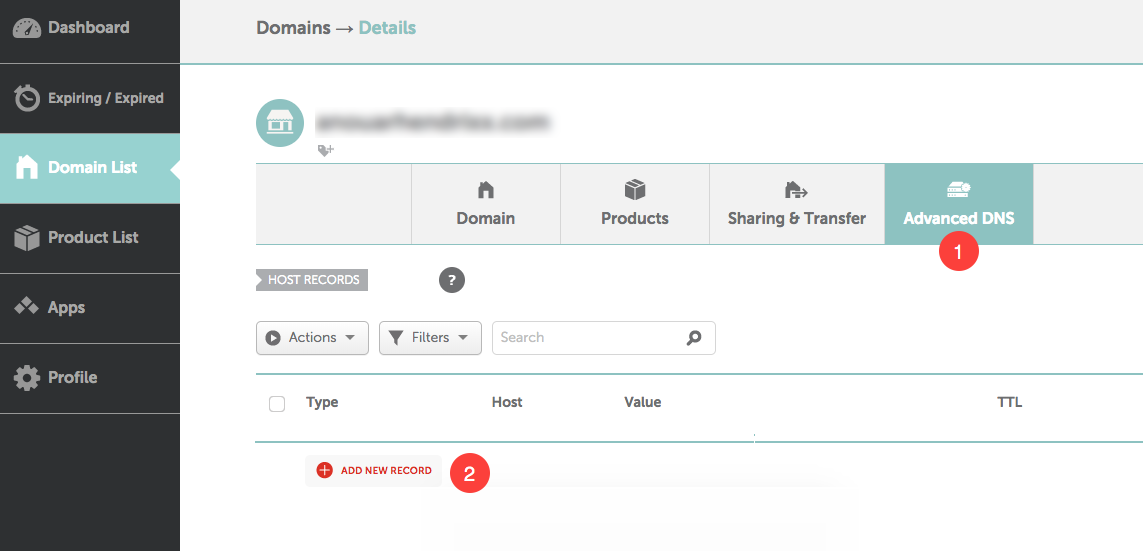
3. Click on Advanced DNS tab. You will see all your DNS records here. Now click on Add New Record tab.
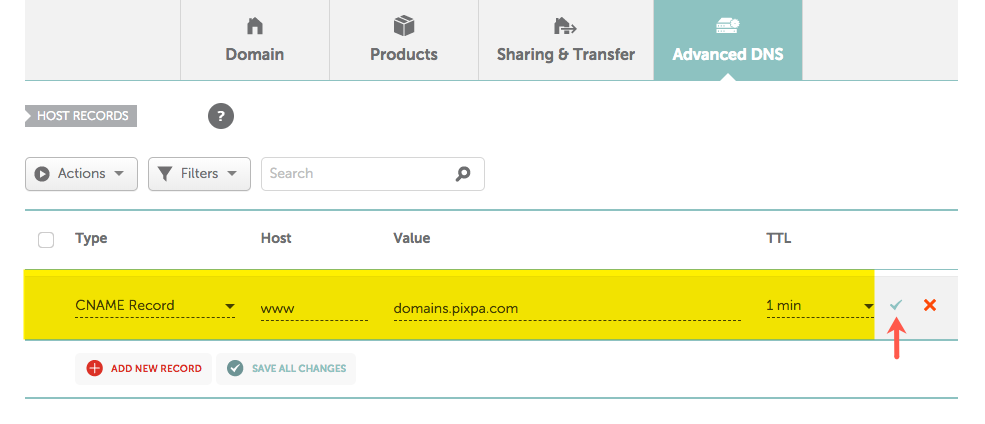
4. Here you need to create a www CNAME record. Select CNAME record (as Type), www (as Host), domains.zopdealer.com (as value) and 1 min (as TTL).
Hit green check button to save this record.