
Follow the steps below to update vehicle syndication:
Login to the backend of your website (i.e. yourdomainname/portal)
-
- Click the Manage Inventory selection in the menu
- Click the vehicle you want to update the syndication for. It will open the Update Inventory page.
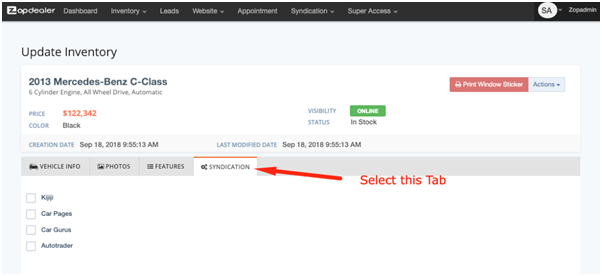
- Select the Syndication tab.
-
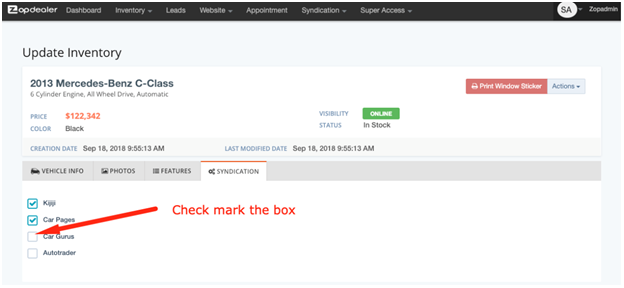
- 4. Select the box to enable syndication.
Additional notes regarding syndication:
-
- Syndication allows integration with a third party so that the inventory details are sent to that third party to display. It allows inventory management from one centralized source (your website) while allowing you the ability to display on multiple platforms (i.e. Kijiji, Car Gurus, Autotrader, etc.).
- Syndication options are dependent on the package purchased. The only checkbox items you will see are those your website is enabled for.
- Select the checkbox if you wish to have this vehicle included in the syndication feed.