Follow the steps below to confirm vehicles included in syndication:
- Login to the backend of your website (i.e. URL/portal)
- Click the Syndication > Manage Syndication selection at the top
- To view all vehicles and their third party syndication assignment:
- click the Search button without selecting anything from the dropdown

- click the Search button without selecting anything from the dropdown
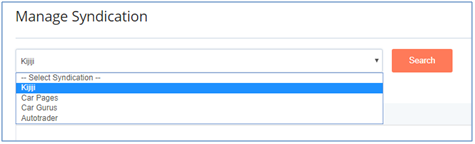
- To view vehicles syndicated to a specific third party:
- select a third party from the dropdown
- click the Search button
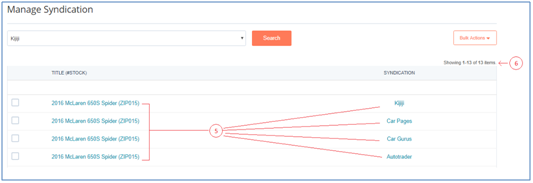
- The search results will provide the requested information. If once vehicle is set to syndicate to multiple third parties, the result set will include one row per third party.
- A count of the search results can be found on the top right