
Change an A record
You can edit an A record in your DNS (Domain Name System) zone file for a domain registered with GoDaddy. An A record connects your root domain name to an IP address and lets web browsers find your website. A records are commonly used to point to a hosting account, or to create a subdomain. If your domain is not registered with GoDaddy, you can edit an A record using DNS hosting.
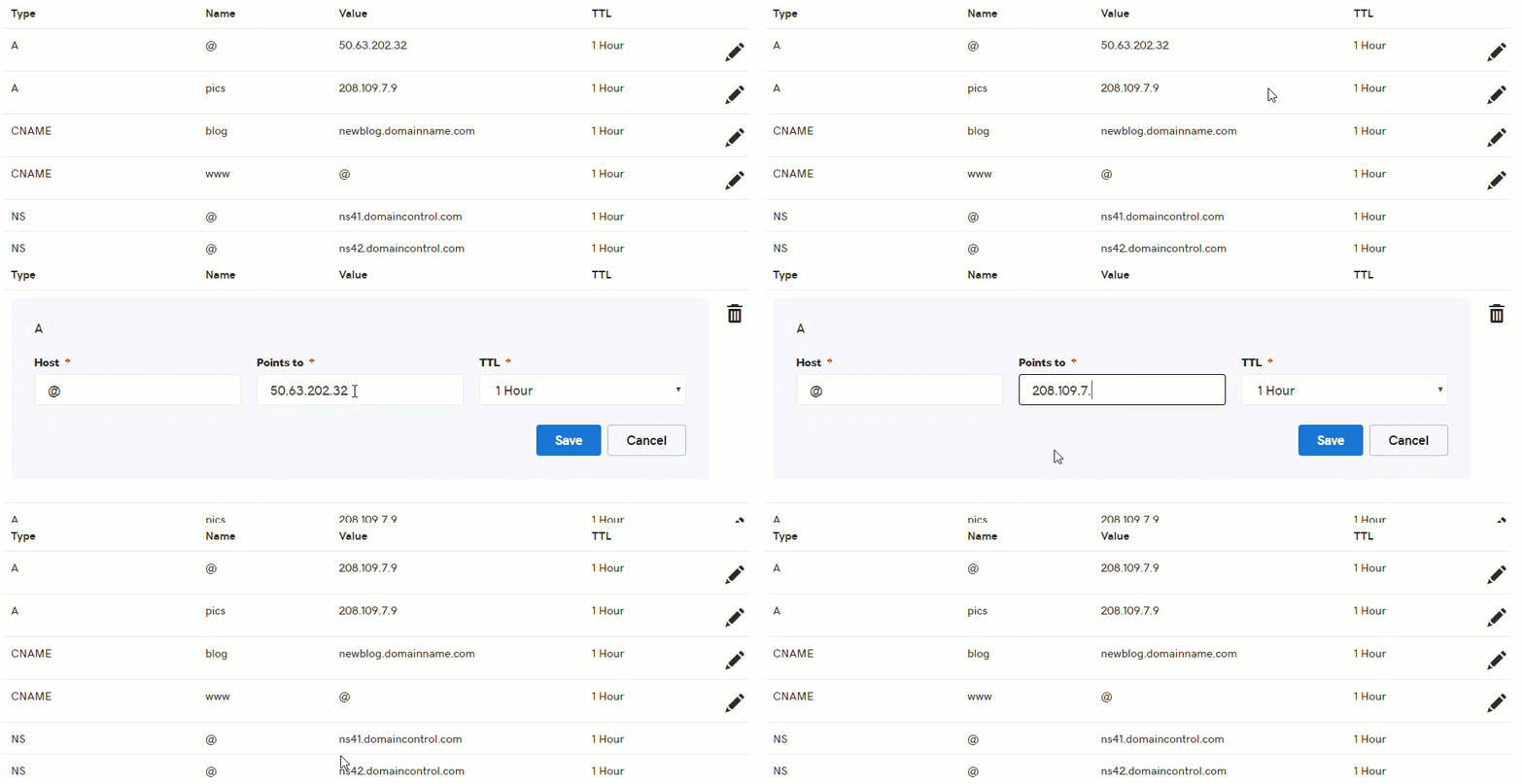
You can watch a short animation of this task farther down the page.
- Log in to your GoDaddy account and open your product.
- From the Domain Manager, select your domain name from the list to access the Domain Settings page.
- Scroll down to the Additional Settings section and select Manage DNS.
- On the DNS Management page, next to the record you wish to edit, click the edit dns pencil icon pencil icon.
Note: Don’t see the pencil icon? Check these settings or products:
• Do you own Search Engine Visibility?
• Is domain forwarding turned on?
• Is the domain connected to 3rd party site (e.g., Squarespace or LinkedIn)? Visit that site to disconnect it.
• Is a firewall turned on in Website Security?
- Edit the fields as needed:
| Field name | What to enter |
|---|---|
| Host | The host name the A record links to. Type @ to point directly to your domain name. |
| Points to | The IP address you are setting as the destination for the host |
| TTL | How long the server should cache information |
- Click Save when finished.
Note: All DNS changes can take 24 – 48 hours to fully update across global networks.
Show me how
Next steps
You can add a new A record at any time.
Or you can delete an A record if it’s no longer needed.